

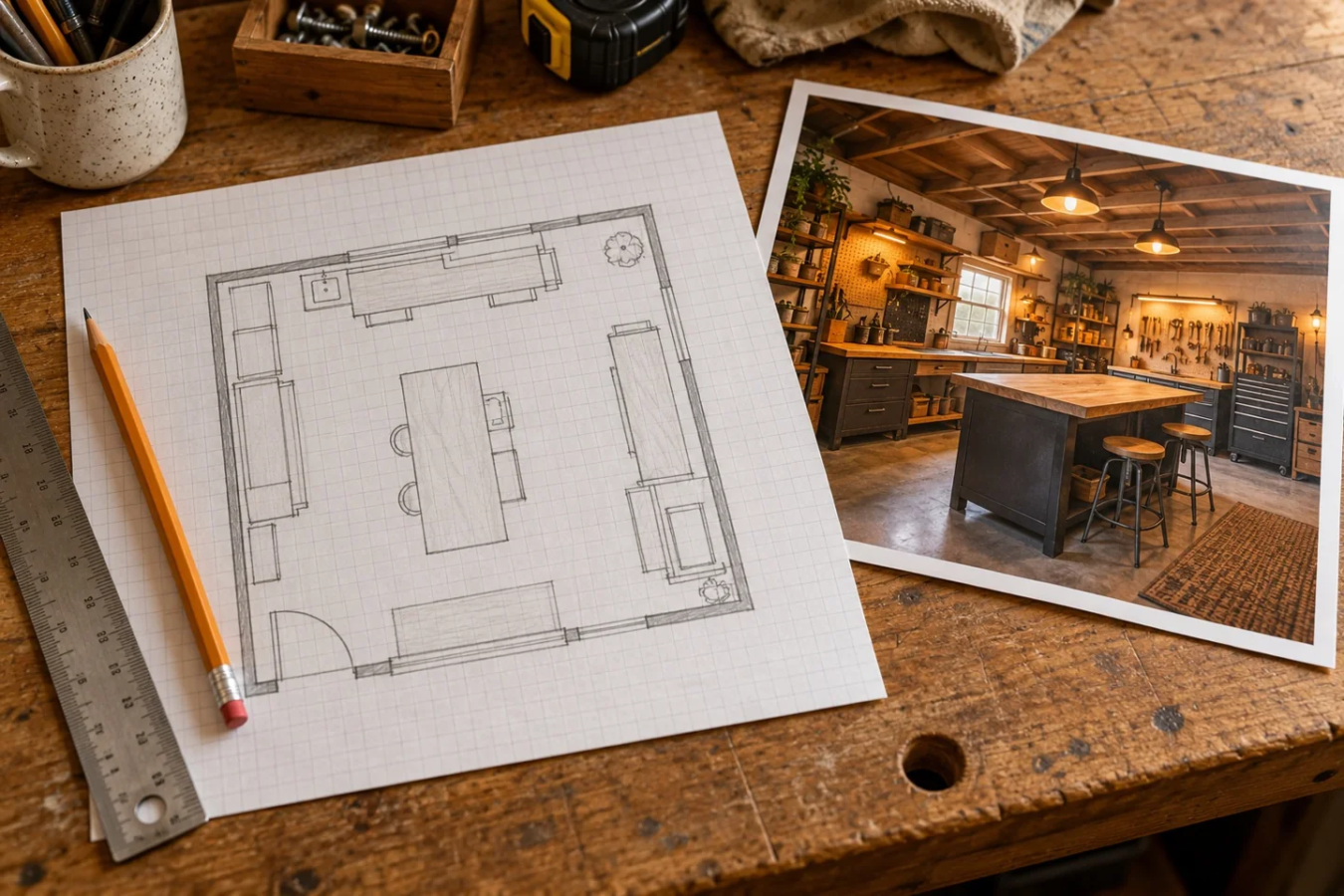
An inspiring garage image can tell you what kind of space you want. A measured floor plan can help you decide where a desk will fit. Both can be useful, but they answer different questions.
If you are choosing between an AI garage design service and an online layout planner, start with the decision you need to make next. For furniture placement, use actual dimensions. For atmosphere, gather visual references. When those two tasks work together, the plan becomes easier to act on.
Use a floor planner for placement
The free Garage After Hours Layout Builder lets you draw a rectangular room, add doors and move editable furniture footprints. It gives you a top-down way to compare where things could go.
That is useful for decisions such as moving the workbench to another wall, placing storage near a hobby or leaving a route from one door to another. Replace preset dimensions with the actual measurements of your items. A starting rectangle labeled “desk” is not evidence that a particular desk fits.
The builder does not generate a photorealistic makeover image. It also does not evaluate structural changes, wiring, permits, wall strength or equipment operating requirements. Those questions need information beyond a furniture drawing.
Use an AI image for visual direction
An AI concept can help you explore the feel of a garage: warmer lighting, darker storage, a wood workbench or a more inviting corner. It can give you a reference to react to when words like “cozy workshop” are too vague.
Treat the image as a concept. The pictured room does not establish measurements, a product list or completed work. Check the architecture, door operation, shelf positions and objects before treating any part of it as practical guidance.
Garage After Hours uses generated garage scenes as visual concepts and explains AI imagery in its Editorial Standards. Our featured illustrations are not photographs of owner renovations or proof of hands-on product testing. An attractive image is a conversation starter, not a receipt for a successful build.
Put the measured plan first
Write down the room dimensions and the fixed features that cannot move. Add the doors and the largest essential objects to the planner. Then check the arrangement against the real garage.
Once you have a workable starting arrangement, choose a visual direction. Which materials appeal to you? Where would task lighting help the activity? Which furniture do you already have? A concept image is easier to use when you can connect its ideas to an actual plan.
If the visual suggests extra storage or a larger desk, add those footprints to a separate layout version. Let the comparison reveal what the change would take away as well as what it adds.
Separate the free tool from the optional refresh
The Layout Builder is free to use without a required purchase or newsletter signup. The Fix My Garage visual refresh is a separate optional service. Review its current scope on that page before ordering. Using the planner does not order a refresh or submit a garage photo.
You can also work with pencil and paper. The useful part is maintaining the distinction between a measured placement decision and a visual idea, whichever tools you choose.
Choose the next step by the unresolved question
If your question is “Will this bench arrangement work?”, start with the measurement guide and builder. If it is “What do I want this room to feel like?”, gather a few visual references and identify the specific details you like.
Next step: Make one measured layout and write down one visual change you want to explore. Check each with the tool suited to that job before spending on the room.
Featured image: AI-generated editorial illustration comparing planning references, not a before-and-after renovation.
Translate the concept into a measured trial
Identify three ideas you like in the image, such as layered light, a more reachable work zone or a defined seat. Put only the furniture footprints and fixed openings into your measured plan first. Then test one visual idea using what you own. Separate the mood you want from the dimensions and instructions you still need.
A pictured object is not a verified retail match. Shopping should follow a useful trial and exact product research, rather than searching for every object in a generated scene.
Sources
Garage After Hours live Layout Builder and implementation · Checked 2026-09-29.